
BuzzTV XR 4000 Series TV box is an Android IPTV cable box. It’s compatible with both MAC address and M3U link, making it a versatile TV box that’s easy to use.
1
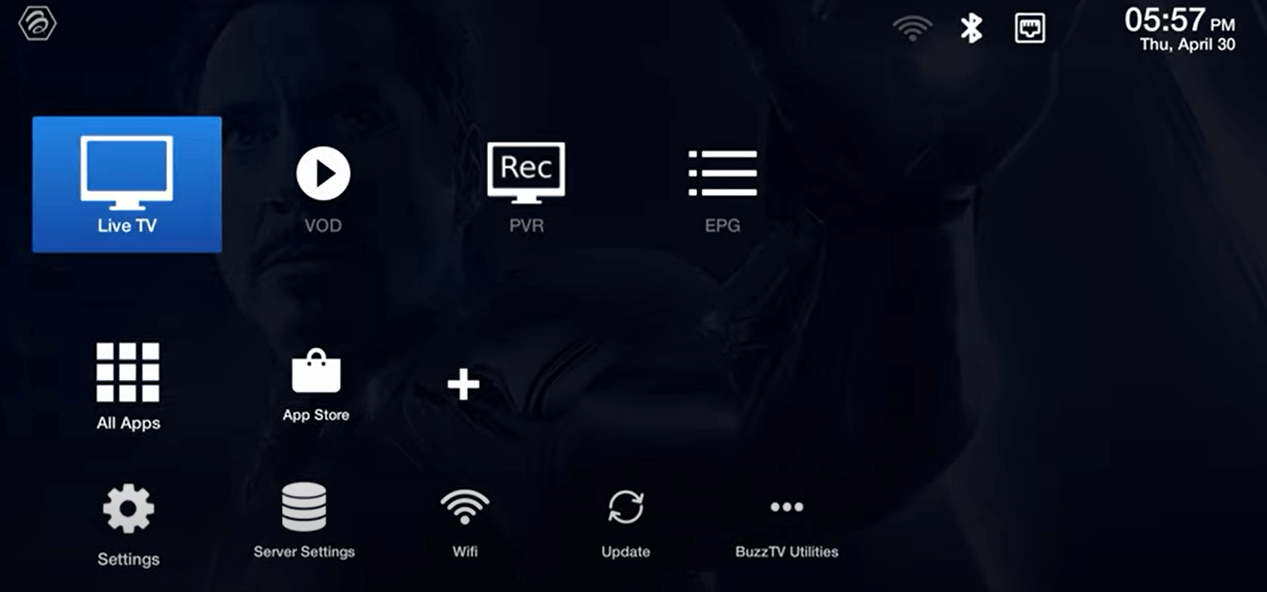
Access Live TV Section
Go to the Live TV section on your BuzzTV XR 4000.
2
Choose IPTV Activation Method
You’ll see two options to activate IPTV:
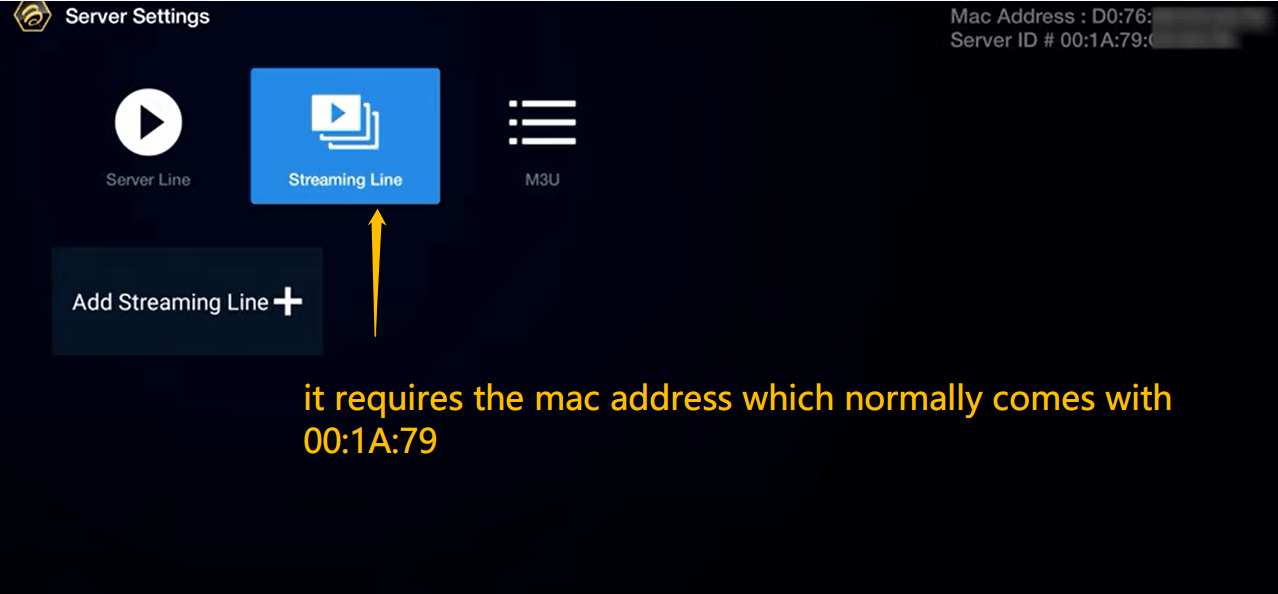
- Streaming Line
- M3U
We most recommend using the M3U option as it’s more convenient.
3
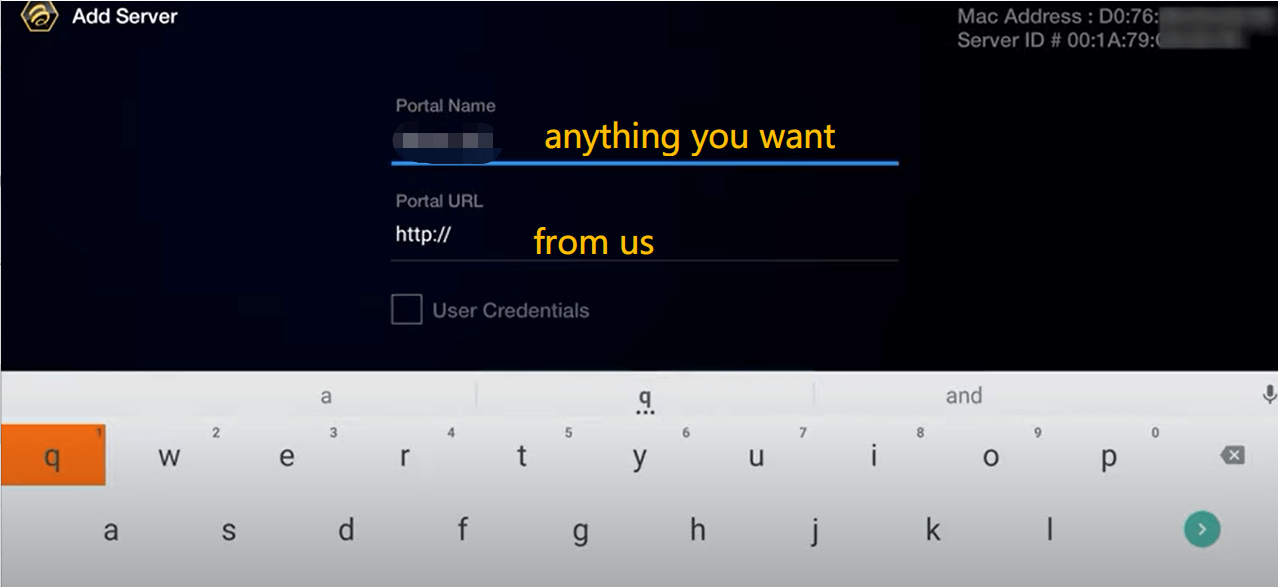
Streaming Line Method
If you choose the Streaming Line option:
- Provide your MAC address to the service provider
- They will activate your MAC address
- You’ll receive a portal URL in return
4
M3U Option
For the M3U option, simply enter the M3U link provided by your service.
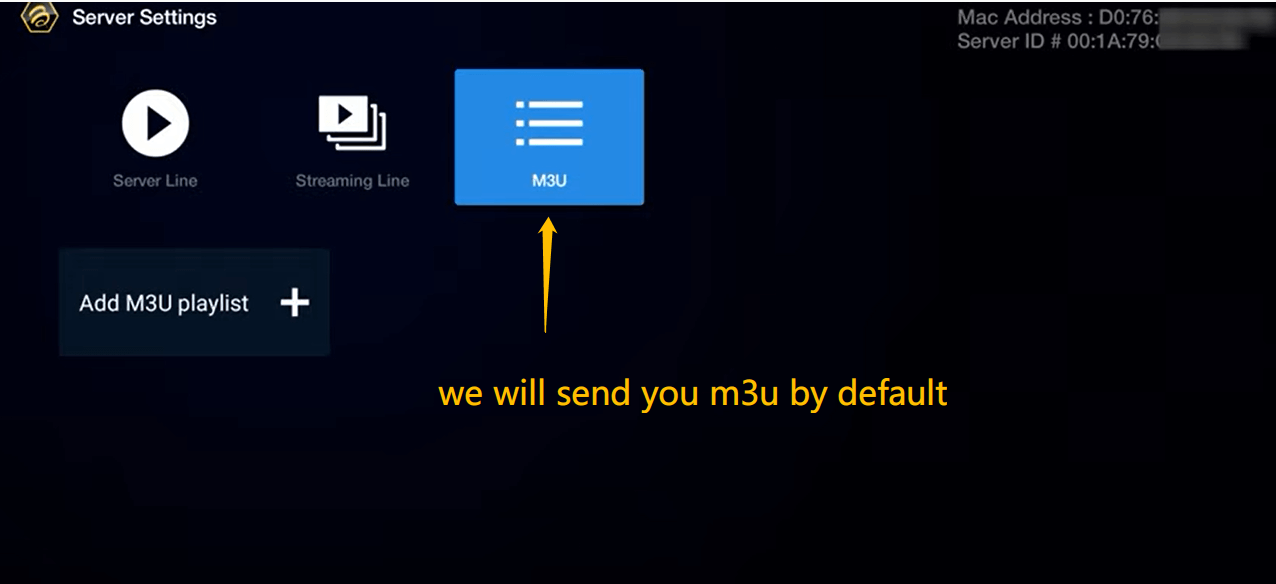
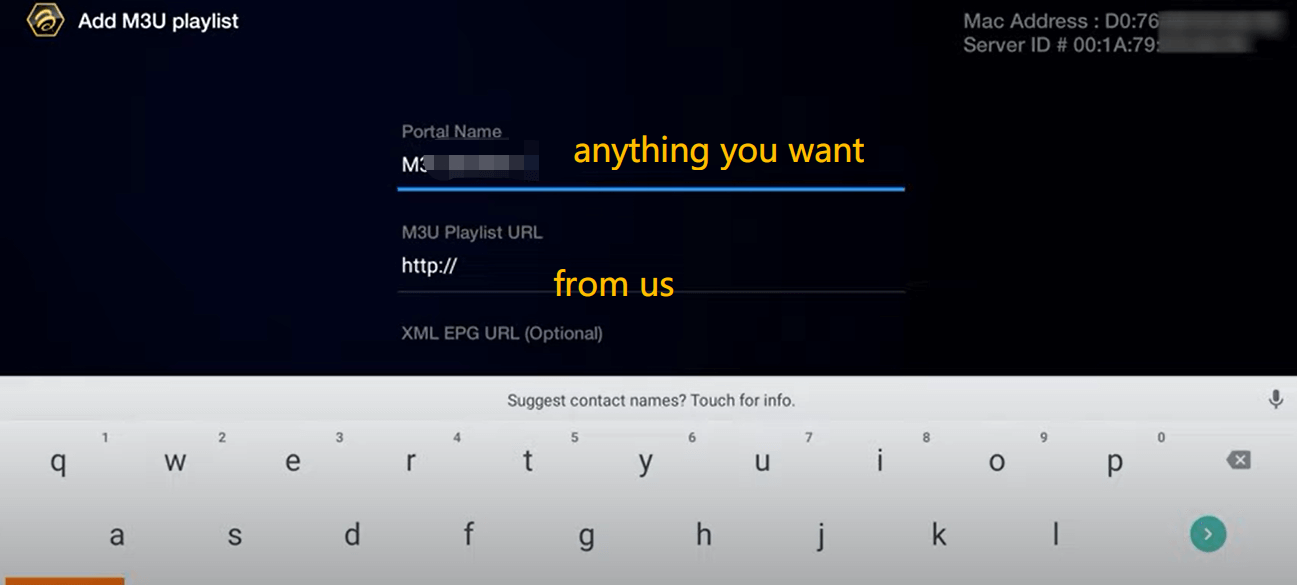
Note: Ensure you enter the exact M3U link from your IPTV service provider.